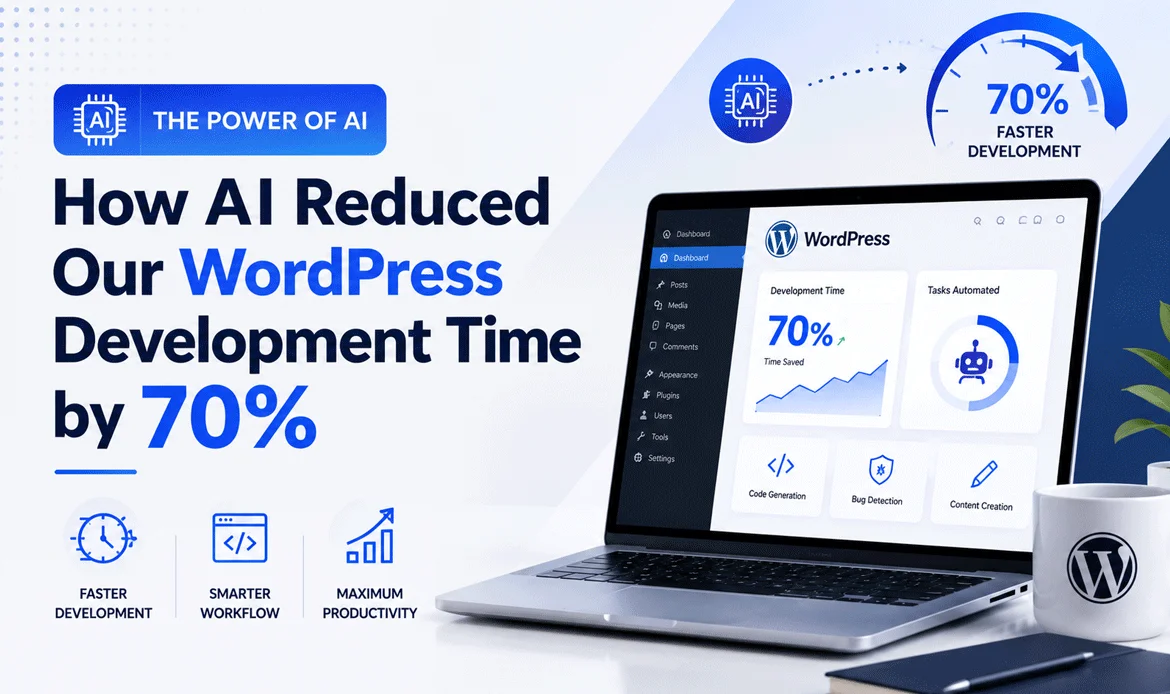
AI WordPress Development is transforming the way developers build websites by reducing repetitive tasks, improving code quality, and accelerating project delivery. Whether you’re a freelancer, agency owner, or in-house developer, using AI strategically can help you complete projects faster without compromising performance or maintainability.
Traditional WordPress development often involves time-consuming processes such as writing boilerplate code, debugging plugin conflicts, creating documentation, and testing custom functionality. While these tasks are essential, they can significantly extend project timelines and reduce overall productivity.
In this article, we’ll share how our team successfully reduced WordPress development time by 70% by integrating AI into our daily workflow. You’ll learn the exact process we followed, the AI tools we use, real-world examples, practical comparisons, and the lessons we learned along the way. If you’re looking for actionable ways to work smarter, improve development efficiency, and deliver high-quality WordPress projects faster, this guide will provide valuable insights you can start applying today.
1. Why Traditional WordPress Development Takes Longer
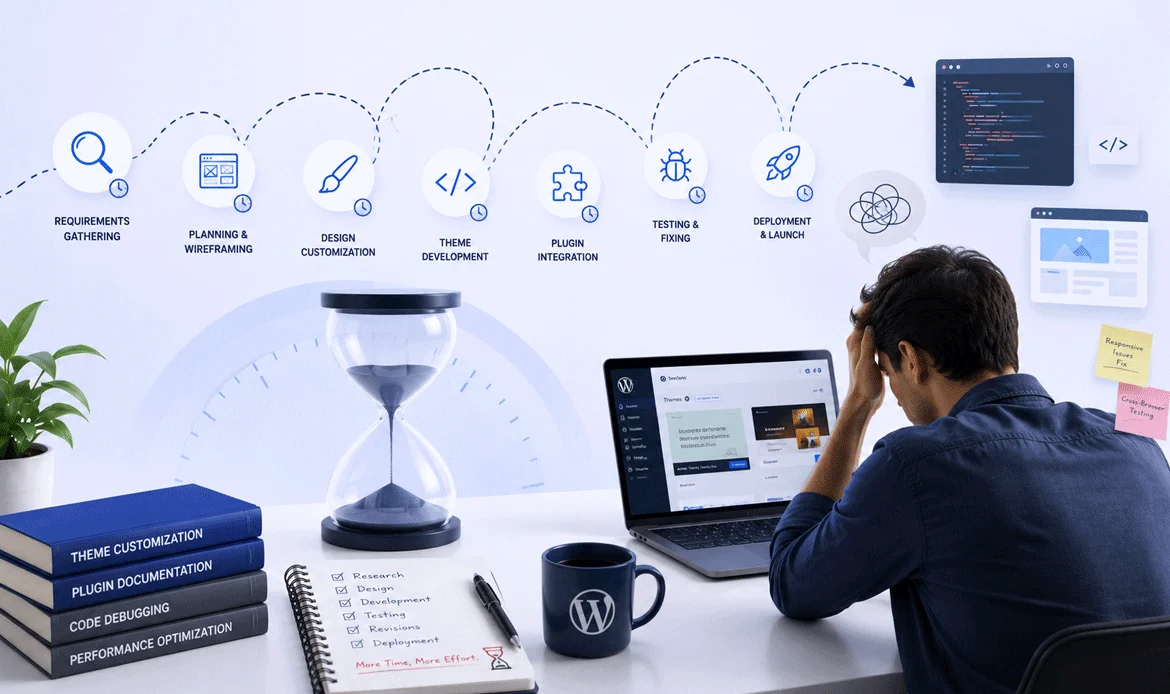
Every experienced WordPress developer has encountered projects that begin with a simple scope but gradually become more complex. A homepage redesign evolves into custom functionality, plugin conflicts emerge unexpectedly, and small client requests accumulate into hours of additional work.
For years, our process relied heavily on manual coding and repetitive development tasks. While this approach produced reliable results, it wasn’t the most efficient use of our time. Developers often spent valuable hours writing boilerplate code, searching documentation, fixing syntax errors, or debugging issues that had already been solved countless times by others.
That changed when we began exploring AI WordPress Development as a way to eliminate repetitive work while allowing developers to focus on solving real business problems. Rather than replacing expertise, AI became an assistant that accelerated routine tasks and supported better decision-making.
Some of the biggest challenges we wanted to solve included:
- Rewriting similar functions across multiple projects
- Spending hours identifying plugin compatibility issues
- Debugging PHP and JavaScript errors manually
- Creating documentation after project completion
- Building custom layouts from scratch for every new client
These repetitive activities consumed a significant portion of each project timeline without adding much creative value.
2. The Turning Point: Why We Introduced AI
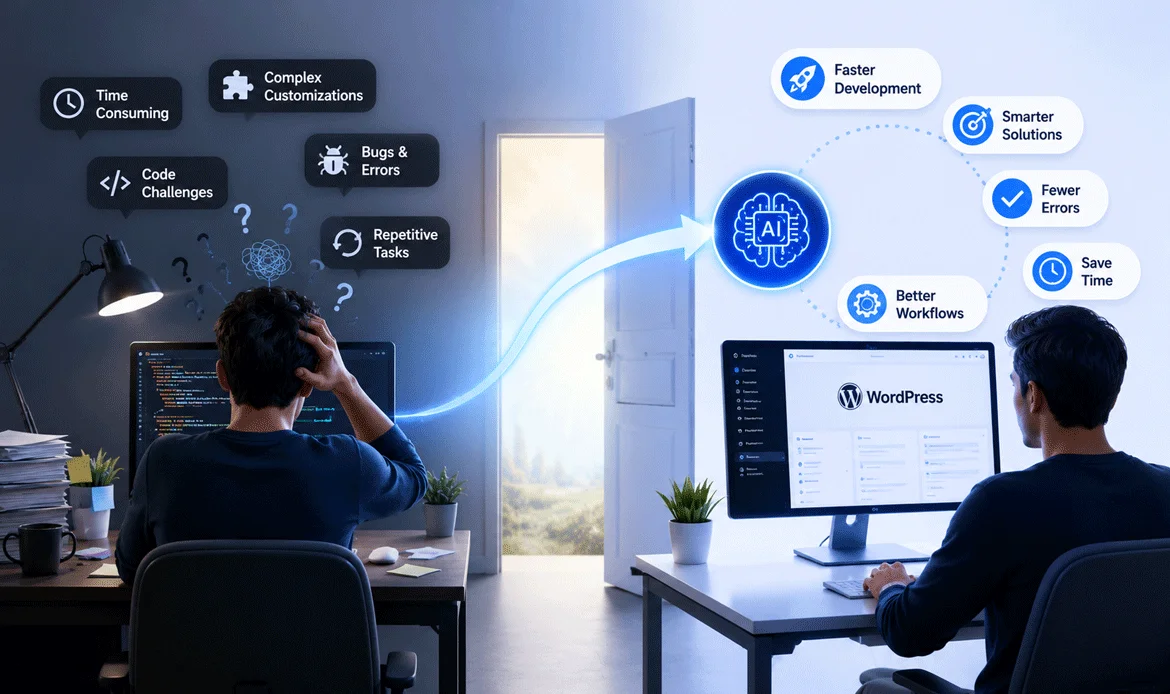
Like many agencies, we were initially skeptical about using AI in production projects. Early AI tools generated code that often required substantial revisions, making them feel more like experiments than practical solutions.
However, the latest generation of AI coding assistants demonstrated a different level of capability. They could explain unfamiliar functions, generate reusable code structures, suggest optimized queries, identify common bugs, and even recommend better implementation approaches.
Instead of asking, “Can AI build websites?”, we started asking a more practical question:
“Which parts of development don’t actually require human creativity?”
That shift in mindset transformed how we approached every project.
We didn’t automate client communication, UX decisions, branding, or architecture. Those areas still required human expertise. Instead, we automated repetitive development tasks while keeping every important technical decision in the hands of experienced developers.
As a result, our WordPress Development Workflow became significantly more efficient without sacrificing code quality or maintainability.
The most valuable lesson was simple:
AI should accelerate experienced developers—not replace them.
✔ A Real Project That Changed Our Perspective
One of our recent client projects involved building a custom business website with multiple landing pages, custom post types, advanced forms, and responsive layouts.
Under our previous process, the project timeline looked something like this:
- Planning and architecture
- Theme setup
- Custom coding
- Responsive styling
- Plugin integration
- Testing
- Bug fixing
- Documentation
- Client revisions
Several of these stages required repetitive coding that was nearly identical to work we’d completed on earlier projects.
This time, we introduced AI WordPress Development during coding, debugging, documentation, and quality assurance.
Instead of generating an entire website automatically, AI helped us by:
- Creating starter functions for custom features
- Explaining unfamiliar plugin hooks
- Suggesting optimized SQL queries
- Detecting potential code issues before testing
- Producing initial documentation drafts
Every AI-generated output was carefully reviewed, refined, and tested by our developers before being used in production.
The outcome wasn’t just faster delivery it also reduced developer fatigue because less time was spent on repetitive tasks and more time was available for creative problem-solving.
◆ Why This Matters for Every WordPress Developer
Whether you’re a freelancer, agency owner, or in-house developer, the challenge isn’t simply delivering websites—it’s delivering them efficiently while maintaining quality.
Clients increasingly expect:
- Faster turnaround times
- Better performance
- Clean, maintainable code
- Lower development costs
- Ongoing scalability
Meeting those expectations with traditional methods alone is becoming more difficult as project complexity increases.
That’s why adopting AI WordPress Development strategically can provide a meaningful competitive advantage. The goal isn’t to automate expertise but to enhance it, allowing developers to focus on high-value work instead of repetitive implementation.
3. Our First AI Experiment: Small Changes That Delivered Big Results
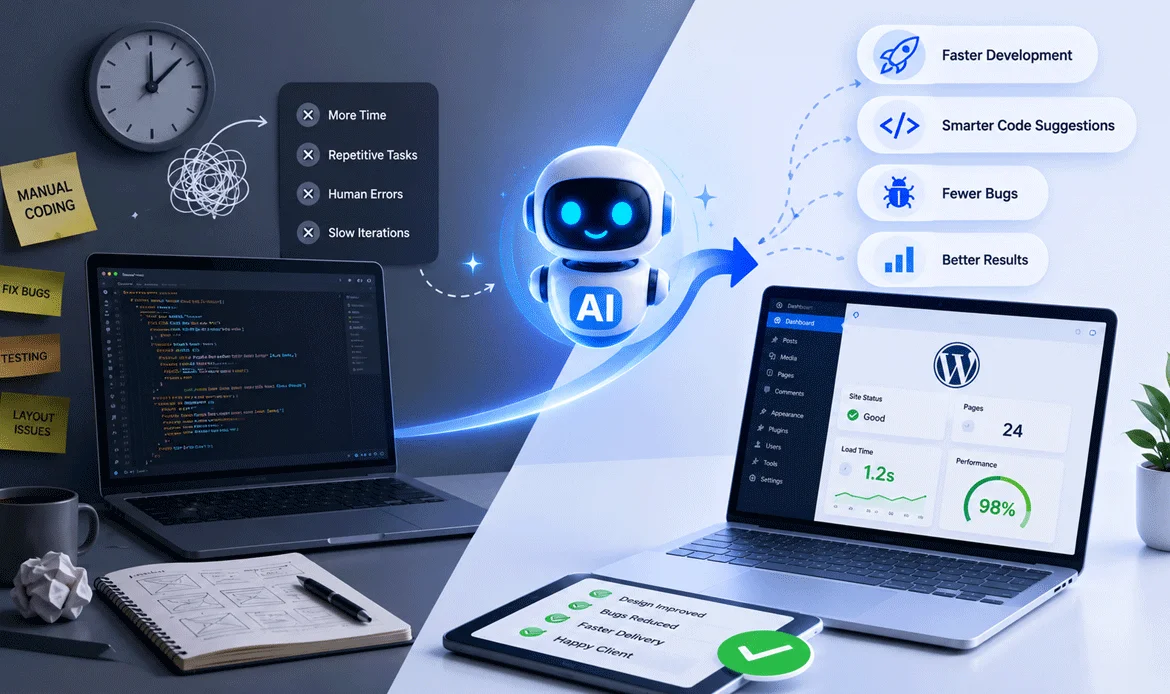
When we first introduced WordPress Development into our projects, we intentionally started small. Instead of relying on AI to build entire websites, we assigned it repetitive tasks that consumed valuable development hours. This cautious approach allowed us to evaluate the quality of the output without putting client projects at risk.
One of the earliest improvements came during theme setup. Rather than creating the same folder structure, template files, and helper functions from scratch for every project, AI generated a solid foundation within minutes. Our developers then reviewed, refined, and customized the code based on project requirements.
This simple change eliminated repetitive work while ensuring every project still followed our coding standards.
The First Tasks We Automated
Instead of replacing developers, AI became a reliable assistant for routine activities.
- Generating starter code for custom post types
- Creating reusable helper functions
- Writing WP_Query examples
- Producing shortcode templates
- Suggesting WordPress hooks and filters
- Explaining unfamiliar APIs
- Preparing initial documentation
- Detecting common coding mistakes
Every output was reviewed before implementation. This review process ensured better code quality while significantly reducing development time.
The Development Process Before and After AI
To understand the impact clearly, it’s useful to compare our traditional development approach with the improved process after integrating AI into our workflow. The goal was not to replace developers but to reduce repetitive tasks and improve overall productivity.
| Project Stage | Before AI | After AI |
|---|---|---|
| Project Planning | Manual research and requirement organization | Faster requirement analysis with AI-assisted insights |
| Theme Initialization | Manual setup of files, folders, and basic structures | AI-assisted starter templates for quicker setup |
| Custom Coding | Fully handwritten code development from scratch | AI-generated first drafts with developer review and improvements |
| Debugging | Trial-and-error testing to identify issues | AI suggestions help identify possible solutions faster |
| Performance Checks | Manual optimization and testing process | AI-powered recommendations verified by developers |
| Documentation | Documentation created manually after project completion | AI-generated drafts created throughout development |
The biggest improvement was not only faster coding. AI helped reduce the time spent searching documentation, troubleshooting repetitive issues, and rewriting common development patterns. This allowed developers to focus more on creativity, optimization, and delivering better website experiences.
4. A Real Example: Building a Custom Business Website
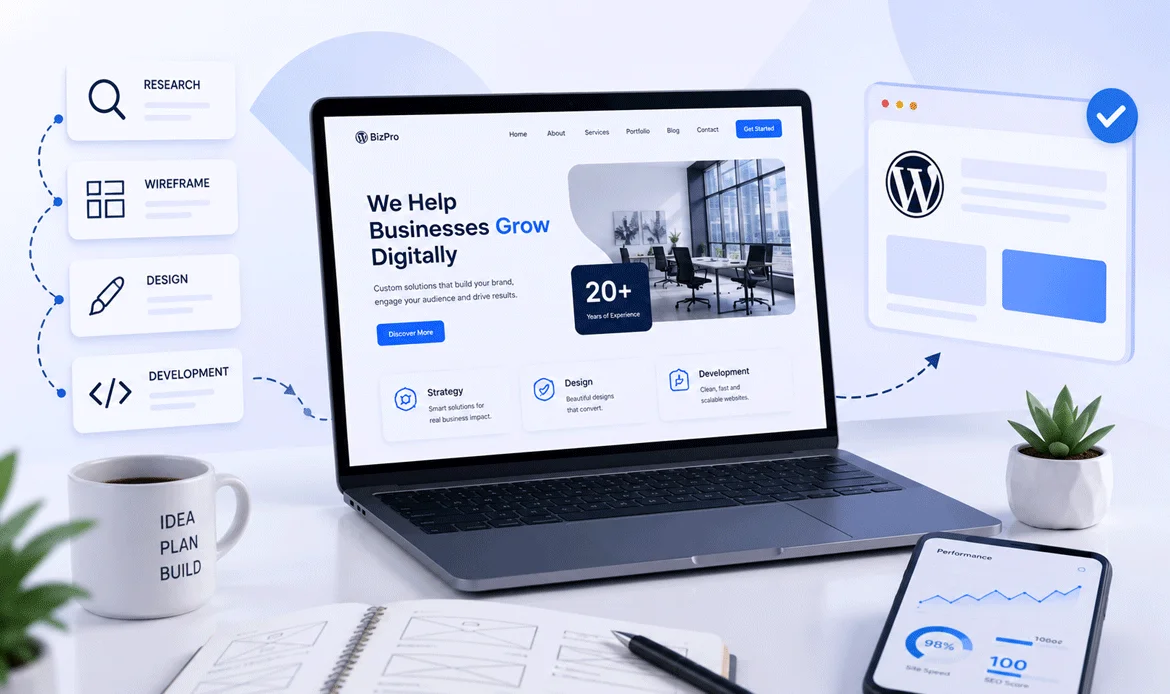
One of our clients required a modern corporate website featuring service pages, case studies, testimonials, team profiles, blogs, and contact forms. Although these features were familiar, building everything manually still demanded considerable effort.
Previously, our development process followed this sequence:
- Install WordPress
- Configure the theme
- Create templates
- Develop custom sections
- Integrate plugins
- Test responsiveness
- Fix browser compatibility issues
- Prepare documentation
- Launch
Using AI WordPress Development, we accelerated several of these stages without compromising quality.
For example:
- AI generated the initial structure for reusable template parts.
- It suggested optimized CSS for responsive layouts.
- It recommended improvements for PHP functions.
- It identified inefficient loops before testing.
- It generated documentation drafts that developers refined later.
The result wasn’t a website built entirely by AI—it was a website built more efficiently by experienced developers supported by AI.
5. Lessons We Learned During the First Month
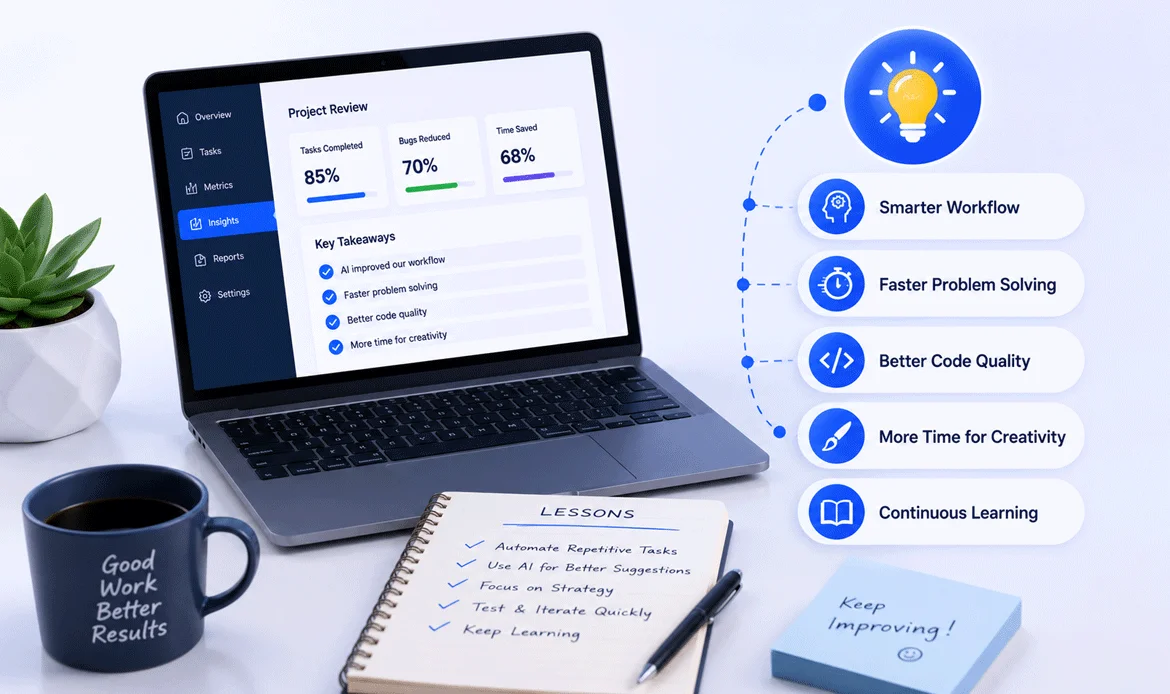
The biggest misconception about AI is that it automatically produces production-ready code. In reality, successful teams treat AI as a productivity partner rather than an autonomous developer.
Here are the lessons that had the greatest impact on our projects:
1. Better Prompts Produce Better Results
The quality of AI output depends heavily on the instructions provided. Detailed prompts consistently generated cleaner and more relevant code than vague requests.
2. Human Review Remains Essential
Every AI-generated snippet underwent code review, testing, and optimization before deployment. This maintained consistency across all projects.
3. AI Excels at Repetitive Tasks
Routine coding activities benefited the most from automation, allowing developers to dedicate more time to architecture, UX, and business logic.
4. Documentation Became Easier
Preparing developer notes, inline comments, and technical documentation no longer felt like an afterthought. AI helped generate first drafts that developers polished quickly.
5. Continuous Learning Matters
As AI tools evolved, our team regularly refined prompts and workflows to improve output quality. This mindset of continuous improvement became part of our WordPress Development Workflow, making each project more efficient than the last.
The Biggest Mistake Teams Make
Many organizations expect AI to replace developers completely. This expectation often leads to poor-quality implementations, security issues, and inconsistent code.
A more sustainable approach is to let developers make architectural decisions while AI assists with repetitive implementation tasks.
This balance allows teams to:
- Deliver projects faster
- Maintain coding standards
- Improve consistency
- Reduce repetitive work
- Increase developer productivity
- Spend more time solving complex client problems
That balanced strategy is why AI WordPress Development produced measurable improvements for our team instead of creating additional technical debt.
◆ Key Takeaways from Our Early Experience
Our first few projects demonstrated that meaningful productivity gains don’t come from replacing expertise—they come from eliminating repetitive work.
By using AI WordPress Development responsibly, our developers became faster, more focused, and more consistent. The combination of AI assistance and experienced human judgment allowed us to deliver projects more efficiently while maintaining high coding standards.
At this stage, we had already transformed several routine tasks. However, the biggest improvements came when we redesigned our complete workflow around AI-assisted collaboration.
In Part 2, we’ll reveal the exact workflow, the AI tools we use daily, our prompt-writing strategy, and how these changes helped reduce overall WordPress development time by nearly 70%.
✔ The AI Workflow That Helped Us Reduce Development Time
After experimenting with AI on smaller tasks, we realized that the real productivity boost didn’t come from generating code alone. The biggest improvement happened when we redesigned our entire development process around collaboration between developers and AI. Instead of treating AI as a replacement, we used it as an intelligent assistant at every stage of the project lifecycle.
Our goal was simple: eliminate repetitive work while allowing developers to focus on architecture, user experience, and solving business problems. This approach helped us maintain high-quality standards while significantly reducing the time spent on routine development tasks.
6. Our Step-by-Step AI-Powered Development Workflow
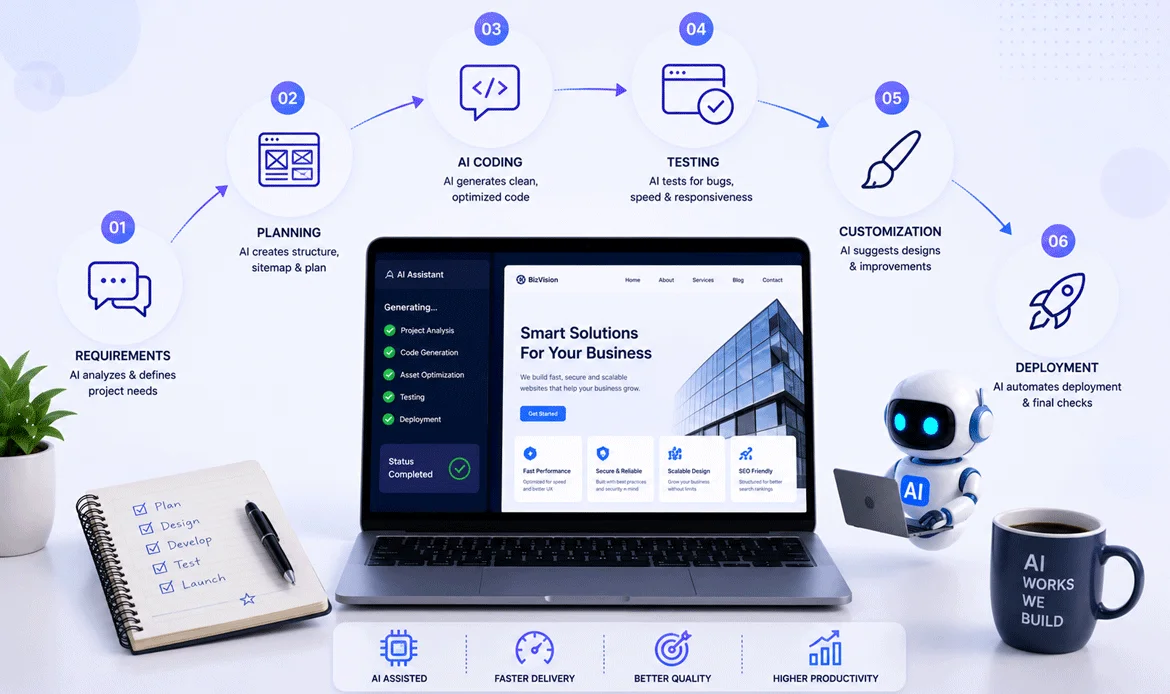
The workflow below has become our standard approach for most custom WordPress projects. Every stage includes human review to ensure quality, security, and maintainability.
1. Understanding Client Requirements
Every successful project starts with understanding the client’s business goals. Before writing any code, we analyze project requirements, identify custom functionality, and create a development roadmap.
AI helps us by:
- Summarizing lengthy requirement documents
- Creating feature checklists
- Suggesting project timelines
- Identifying missing requirements
- Organizing user stories
Instead of spending hours preparing documentation, our team now receives a structured project outline within minutes. Developers can immediately begin planning instead of manually organizing information.
2. Planning the Website Architecture
Jumping directly into development often leads to unnecessary revisions later. We first design the website architecture by deciding:
- Custom Post Types
- Custom Taxonomies
- Page hierarchy
- Plugin requirements
- Theme structure
- User roles
- Database relationships
At this stage, WordPress Development helps generate architecture suggestions based on project requirements. However, our developers always review these recommendations before implementation because every client has unique business needs.
A well-planned architecture saves far more time than trying to fix structural issues after development begins.
3. Building the Initial Theme Structure
Creating the same folder hierarchy repeatedly across multiple projects is time-consuming.
Instead of manually creating every template file, helper function, and reusable component, we generate an initial project structure using AI. This gives developers a clean starting point without affecting customization.
Our developers then:
- Remove unnecessary code
- Improve naming conventions
- Add security checks
- Follow WordPress coding standards
- Organize reusable components
This approach speeds up development while ensuring every project remains clean and maintainable.
◆ How AI Changed Our Daily Coding Process
One of the biggest misconceptions is that AI writes perfect code. In reality, AI creates an excellent first draft, while experienced developers transform that draft into production-ready solutions.
Here’s how our coding process changed.
Before AI
- Search Stack Overflow
- Read WordPress documentation
- Write initial code
- Debug syntax errors
- Test functionality
- Optimize code
After AI
- Define the problem clearly
- Generate an initial solution
- Review generated code
- Improve logic
- Test thoroughly
- Deploy confidently
The difference isn’t only speed. Developers spend less time searching for answers and more time improving the final product.
◆ Real Example: Creating a Custom Post Type
Previously, creating a custom post type required manually writing registration functions, labels, rewrite rules, capabilities, and testing every configuration.
Today, AI WordPress Development generates a complete starter version in seconds.
Our developer then:
- Reviews every parameter
- Removes unnecessary options
- Adds security validation
- Improves readability
- Tests functionality
The final code remains developer-approved, but the repetitive setup work is completed much faster.
This small improvement alone saves considerable time across multiple client projects every month.
◆ AI Didn’t Replace Debugging—It Improved It
Debugging has always been one of the most time-consuming parts of development.
Instead of manually checking dozens of files, AI helps identify possible causes by analyzing error messages and suggesting likely fixes.
For example:
A plugin conflict caused a fatal PHP error after a recent update.
Previously we would:
- Read log files
- Compare plugin versions
- Search documentation
- Test different fixes
Now AI immediately suggests:
- Possible conflicting functions
- Deprecated hooks
- Version compatibility issues
- Safer alternative implementations
Developers still verify every recommendation, but identifying the root cause becomes significantly faster.
◆ Why Human Review Is Still Essential
Although AI accelerates development, it cannot understand every client’s business objectives, security requirements, or long-term maintenance strategy.
Every AI-generated output goes through a structured review process:
- Code Quality Review
- Security Validation
- Performance Testing
- Responsive Testing
- Browser Compatibility
- WordPress Coding Standards
- Client Requirement Verification
This review process ensures projects remain reliable while benefiting from increased development speed.
◆ The Biggest Productivity Gain Wasn’t Coding
Surprisingly, writing code wasn’t where we saved the most time.
The largest improvements came from reducing context switching.
Previously developers constantly moved between:
- Documentation
- Search engines
- Developer forums
- Debugging tools
- Code editors
Now much of that information is available instantly, allowing developers to stay focused on solving problems instead of searching for answers.
This continuous focus improved both productivity and code quality.
◆ Key Takeaways
By redesigning our workflow instead of simply adding AI tools, we achieved consistent productivity improvements across almost every project stage.
The biggest lesson was that successful AI adoption isn’t about automation—it’s about intelligent collaboration between developers and technology.
As we continued refining this process, we also evaluated multiple AI tools to determine which ones genuinely improved productivity and which ones created unnecessary complexity.
Next Section: The Best AI Tools We Actually Use for WordPress Development (With Honest Pros & Cons)
7. The Best AI Tools We Actually Use for WordPress Development
Choosing the right AI tools is one of the most important steps when improving development efficiency. The market is filled with AI-powered solutions, but not every tool provides the same value for WordPress projects.
Some tools are excellent for generating code, while others are better for debugging, research, content creation, or understanding complex technical problems. The key is not using every available AI tool but selecting tools that fit your specific development requirements.
Our approach focuses on using AI where it creates real value while keeping developers involved in every important decision.
Comparing Popular AI Tools for WordPress Projects
Different AI tools support different parts of the WordPress development process. Each tool has unique strengths, helping developers improve coding speed, solve problems faster, understand complex projects, and optimize their development workflow.
| AI Tool | Best For | Key Features |
|---|---|---|
| ChatGPT | WordPress Development | Code generation, debugging, content assistance |
| GitHub Copilot | Faster Coding | AI-powered code suggestions |
| Claude AI | Project Analysis | Large code understanding and explanations |
The right AI tool depends on the project requirements and development goals. Instead of depending on a single solution, combining different AI assistants can help developers complete tasks faster while maintaining better code quality and flexibility.
8. How We Use AI During Different Development Stages
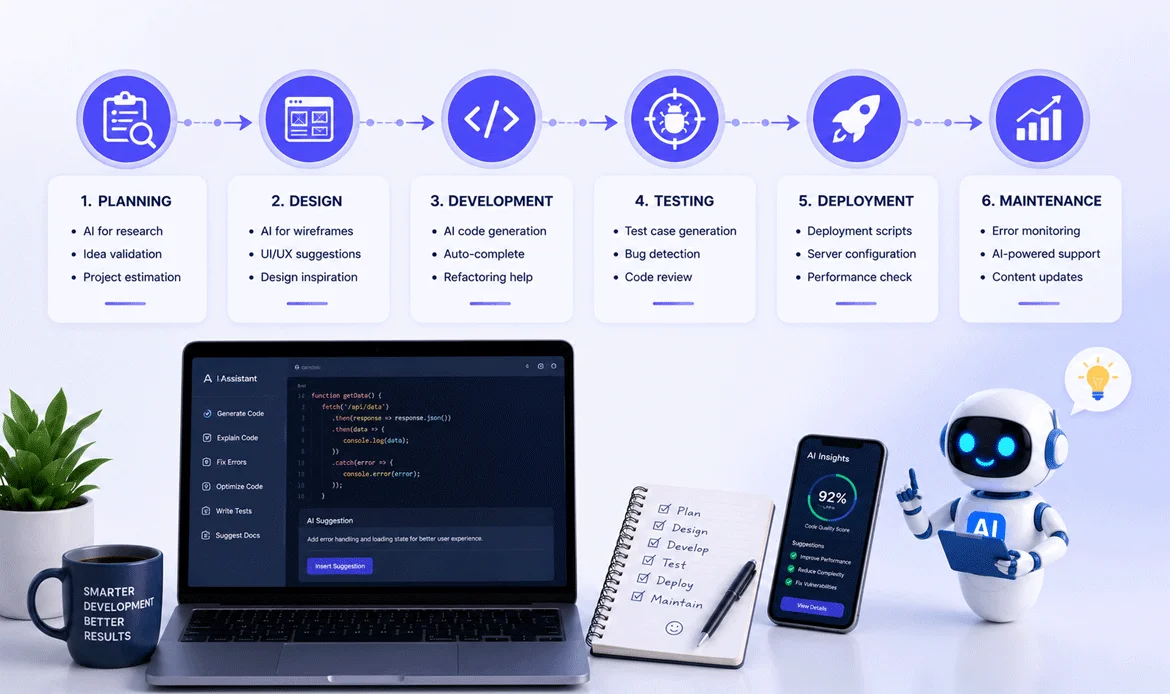
AI became most valuable when we integrated it throughout the complete WordPress Development Workflow rather than using it only for coding.
◆ During Planning
AI helps developers organize ideas before development begins.
Common uses include:
- Creating project requirement summaries
- Preparing feature lists
- Identifying technical challenges
- Suggesting suitable WordPress solutions
- Planning database structures
This allows teams to start projects with better clarity and fewer unexpected issues.
◆ During Theme Development
Theme development involves many repetitive tasks, especially when creating reusable components.
AI assists with:
- Template structure suggestions
- WordPress functions
- Customizer options
- Gutenberg blocks
- Elementor widget ideas
- Responsive styling approaches
Developers can focus more on creating unique user experiences instead of repeatedly writing basic structures.
◆ During Plugin Customization
Many WordPress projects require modifying existing plugins or creating custom functionality.
AI helps developers:
- Understand plugin documentation
- Explain unfamiliar code
- Suggest modification approaches
- Identify possible conflicts
- Create testing scenarios
However, plugin customization always requires careful review because incorrect modifications can affect website security and performance.
✔ Using AI for WordPress Theme Development
Modern WordPress projects require more than attractive designs. They need:
- Fast loading speed
- Mobile responsiveness
- SEO-friendly structure
- Clean code
- Easy customization
- Better user experience
When developing themes, AI assists with repetitive technical tasks while developers focus on design quality and functionality.
For example, when creating a business theme, AI can help generate:
- Starter template structures
- CSS layout suggestions
- PHP function drafts
- Documentation content
- Testing checklists
The final theme still depends on human creativity, design decisions, and technical expertise.
✔ AI Prompts That Improve Development Results
The quality of AI output depends heavily on how clearly instructions are written.
A weak prompt:
“Create a WordPress function.”
A better prompt:
“Create a secure WordPress PHP function that retrieves custom post type data, follows WordPress coding standards, includes validation, and explains each step.”
The second approach provides better results because it includes:
- Purpose
- Technical requirements
- Security expectations
- Coding standards
- Explanation needs
Developers who learn effective prompting can achieve much better results from AI tools.
9. Common AI Mistakes Developers Should Avoid
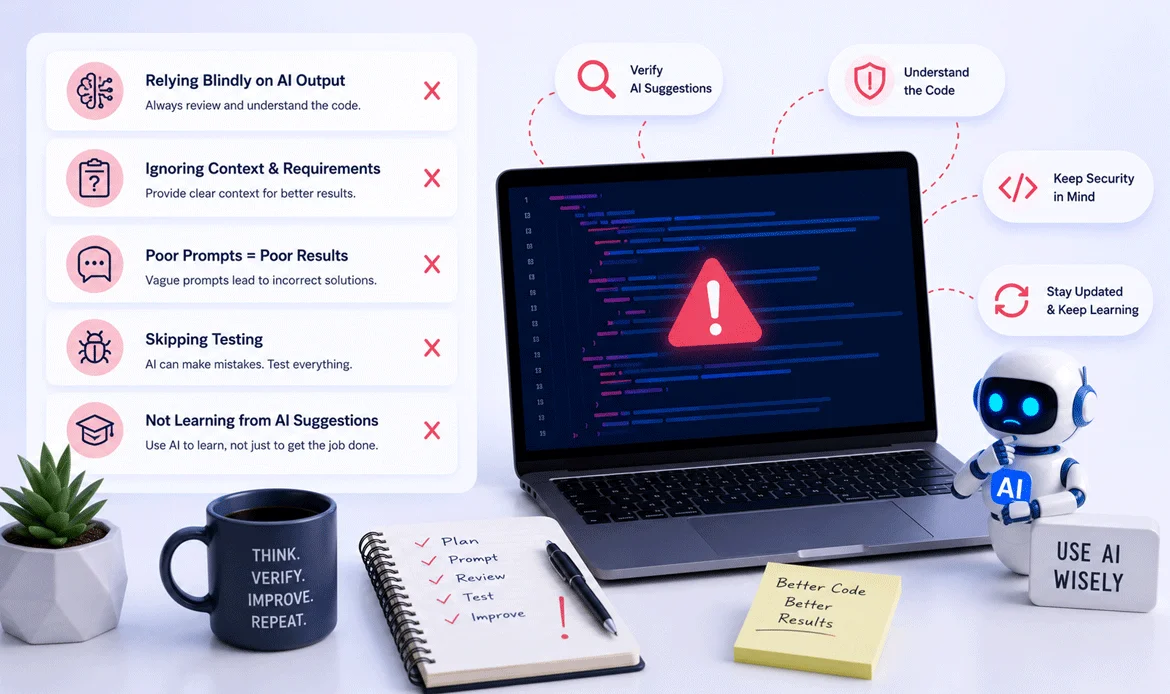
Although AI provides significant advantages, using it incorrectly can create problems.
1. Copying AI Code Without Testing
AI-generated code may look correct but still contain:
- Security issues
- Performance problems
- Compatibility problems
Always test before using code in production.
2. Depending Completely on AI
AI should support developer decisions, not replace technical knowledge.
Developers still need to understand:
- PHP logic
- WordPress architecture
- Security practices
- Performance optimization
3. Ignoring Website Security
Never add AI-generated code directly without checking:
- Data validation
- User permissions
- Database queries
- Input sanitization
Security should always remain a priority.
4. Using Poor Prompts
Unclear instructions create generic results.
Better prompts include:
- Project goals
- Technical requirements
- Expected output format
- Existing limitations
- How AI Improved Team Collaboration
One unexpected benefit was better communication between developers, designers, and clients.
AI helped transform technical information into easier explanations.
For example:
- Developers could explain complex issues more clearly.
- Designers understood technical limitations faster.
- Clients received better project updates.
- Documentation became easier to maintain.
This improvement made projects smoother beyond just reducing coding time.
✔ The Future of AI-Powered WordPress Development
AI is not slowing down. Future WordPress development will likely include more intelligent automation in areas such as:
- Website personalization
- Automated testing
- Performance optimization
- Security monitoring
- Content management
- Design assistance
Developers who learn how to combine creativity with AI tools will have a strong advantage in the changing web development industry.
The biggest opportunity is not replacing developers—it is helping developers build better websites faster.
✔ Final Results: What Changed After Implementing AI
After integrating AI into our development process, we noticed improvements in several areas:
- Faster project planning
- Reduced repetitive coding
- Quicker debugging
- Better documentation
- Improved team productivity
- Faster client delivery
The biggest achievement was not simply saving hours. It was creating a smarter development system where technology handled repetitive tasks and developers focused on innovation.
By combining human expertise with AI WordPress Development, teams can create websites more efficiently while maintaining professional quality.
Frequently Asked Questions (FAQs)
1. Can AI really reduce WordPress development time?
Yes, AI can significantly reduce development time by helping with repetitive coding tasks, debugging, documentation, and planning. However, developers still need to review and optimize every solution before using it.
2. Is AI replacing WordPress developers?
No. AI works as a productivity assistant rather than a replacement. Developers are still needed for architecture decisions, creativity, security, testing, and delivering business-focused solutions.
3. What are the best AI tools for WordPress developers?
Popular tools include ChatGPT, GitHub Copilot, Claude AI, Cursor AI, and Gemini. The best choice depends on whether you need coding assistance, debugging support, research, or project analysis.
4. Is AI-generated WordPress code safe to use?
AI-generated code should always be reviewed, tested, and optimized before implementation. Developers must check security, performance, and compatibility requirements.
5. How can beginners use AI for WordPress development?
Beginners can use AI to learn coding concepts, understand WordPress functions, create simple customizations, troubleshoot errors, and improve their development skills step by step.
Conclusion
The future of WordPress development is not about choosing between humans and AI. The strongest results come from combining developer experience with intelligent technology.
AI can speed up repetitive tasks, improve problem-solving, and help teams deliver projects faster. However, successful implementation requires strategy, testing, and human expertise.
For businesses and agencies building websites today, adopting a smarter development approach can create a major competitive advantage.
At ZozoThemes, we focus on creating professional WordPress themes that help businesses launch modern websites faster with flexible designs, powerful features, and easy customization.
Ready to build your next professional website faster?
Explore premium WordPress themes from ZozoThemes and start creating your next project today.