

Extra database queries in Elementor can significantly slow down your website, affecting user experience, SEO rankings, and overall performance. Each widget, template, and dynamic element can trigger repeated database calls, creating unnecessary load on your server. By understanding how to reduce extra database queries in Elementor, you can optimize your site speed, streamline database operations, and deliver a smoother browsing experience for your visitors.
Techniques such as cleaning up wp_options autoloaded data, optimizing templates, enabling caching, and monitoring query loads are essential for maintaining a high-performing Elementor site.
1. Understanding Extra Database Queries in Elementor
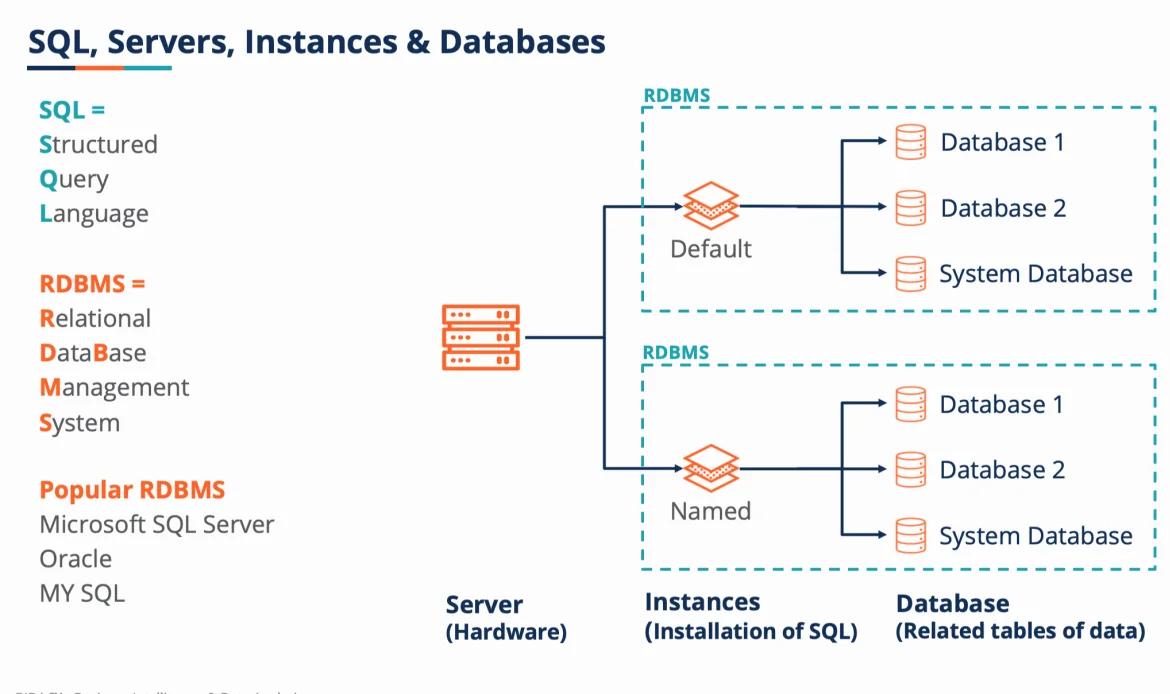
Extra database queries in Elementor occur when widgets, templates, or dynamic content make repeated requests to the database. These unnecessary queries slow down page loads and affect overall site performance. By identifying common query triggers such as third-party plugins, repeated custom fields, and dynamic content, you can take steps to reduce these extra database queries in Elementor. Cleaning up wp_options autoloaded data ensures that only essential settings are automatically loaded, reducing database strain and improving user experience. Monitoring these queries helps maintain a fast, responsive Elementor site while keeping your WordPress database optimized.
Why Extra Queries Occur
Repeated widget requests in Elementor often trigger extra database queries. Cleaning up wp_options autoloaded data ensures that only essential information loads automatically, reducing unnecessary database calls and improving site performance.
✔ Impact on Site SpeedEach extra database query adds milliseconds to page load time. By minimizing these queries, you can improve both user experience and SEO performance.
✔ Common Query TriggersDynamic content, third-party plugins, and repeated custom fields are common triggers for extra database queries in Elementor. Identifying these triggers helps optimize database performance effectively.
2. Using Elementor Performance Settings
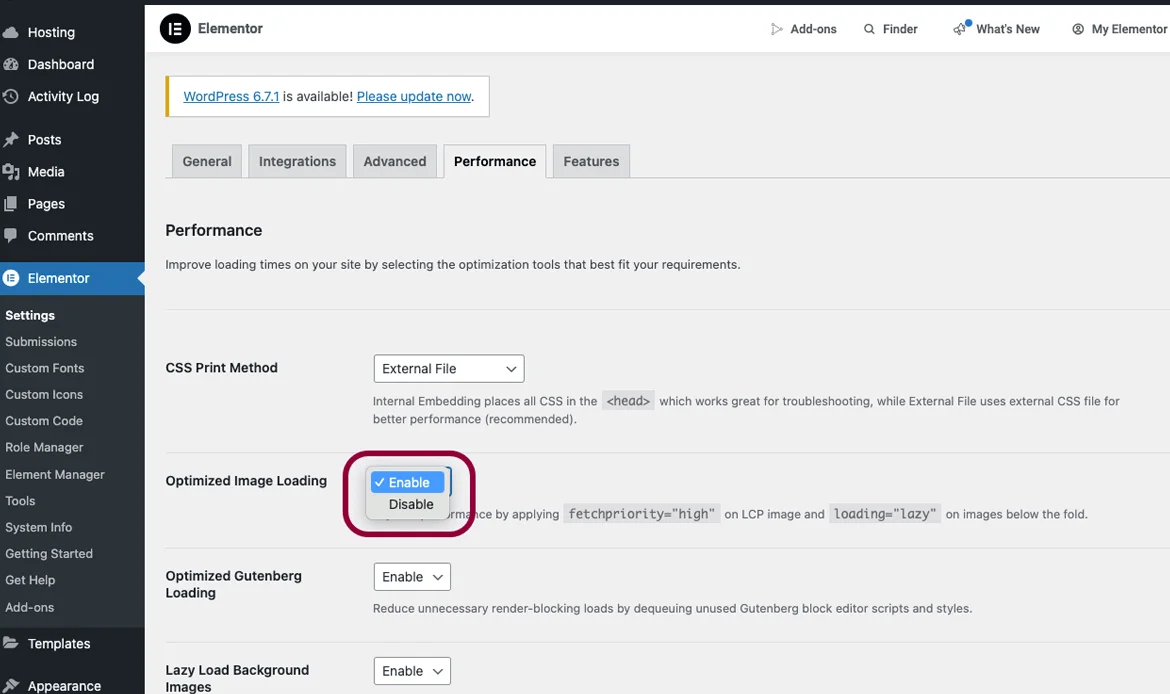
Elementor offers built-in performance settings that can significantly reduce extra database queries. Enabling optimized DOM output prevents redundant queries and improves page rendering speed. Deactivating unused widgets cuts down unnecessary database requests naturally, while smart use of global widgets consolidates repeated calls and helps clean up wp_options autoloaded data. Applying these settings ensures that Elementor operates efficiently, reducing query load, improving site speed, and enhancing the overall browsing experience for users.
Enable Optimized DOM Output
Activating optimized DOM output reduces redundant queries and improves site speed. This built-in Elementor feature helps lower extra database queries and enhances overall page rendering.
✔ Disable Unused WidgetsDeactivating unused widgets cuts down extra database queries in Elementor naturally and helps clean up wp_options autoloaded data.
✔ Utilize Global Widgets WiselySmart use of global widgets reduces repeated queries and ensures cleaner, more efficient Elementor database performance.
3. Optimize Database Tables
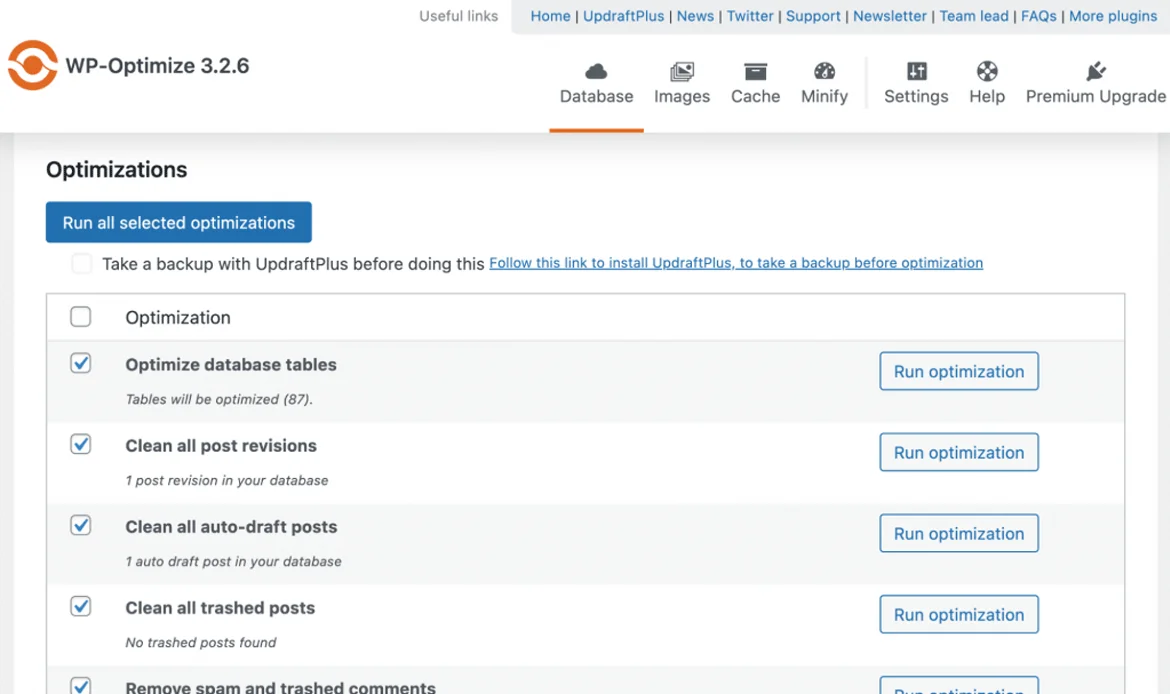
A well-optimized database is key to reducing extra database queries in Elementor. Regularly cleaning up wp_options autoloaded data and other database tables ensures that only necessary information is loaded automatically. Using efficient queries and replacing heavy query loops with optimized methods minimizes database strain. Tools like Query Monitor help identify slow or repeated queries, allowing you to resolve performance bottlenecks. By maintaining a clean database, you can ensure Elementor pages load faster and run smoothly even as your website grows.
Regular Database Cleanup
Cleaning up wp_options autoloaded data and other database tables ensures only necessary information is stored, helping reduce extra database queries in Elementor.
✔ Use Efficient QueriesReplacing heavy query loops with optimized queries reduces extra database queries in Elementor and improves site responsiveness.
✔ Monitor Query LoadTools like Query Monitor help identify slow or repeated queries. Monitoring query load ensures smoother performance and optimized database usage.
4. Reduce Third-Party Plugin Conflicts
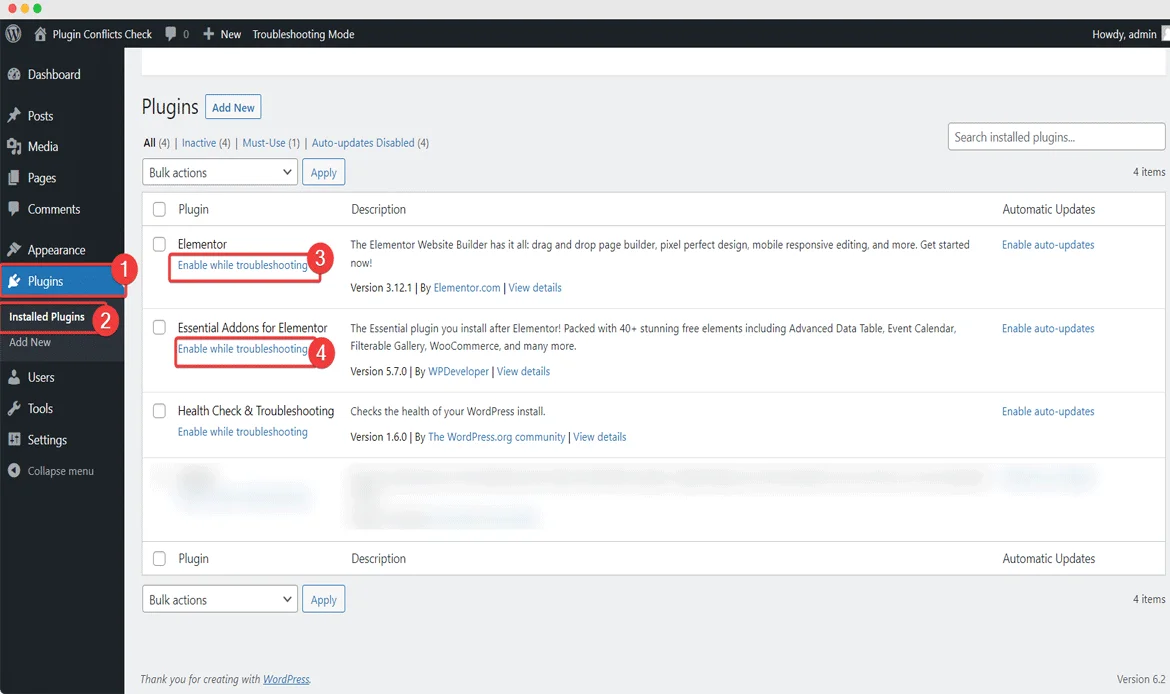
Plugins can often introduce extra database queries in Elementor, slowing down your website. Deactivating unused plugins reduces database overhead, while checking plugin compatibility prevents conflicts that generate unnecessary queries. Choosing lightweight alternatives helps maintain clean wp_options autoloaded data and reduces strain on your database. By carefully managing plugins, you can maintain a high-performing Elementor site with fewer extra queries and a streamlined backend.
Deactivate Unused Plugins
Unused plugins can generate extra database queries in Elementor. Deactivating them simplifies database management and improves site speed.
✔ Check Plugin CompatibilityConflicting plugins may increase redundant database queries. Ensuring compatibility prevents performance issues and database strain.
✔ Use Lightweight AlternativesReplacing heavy plugins with lightweight alternatives helps maintain clean wp_options autoloaded data and better Elementor performance.
5. Optimize Elementor Templates

The way Elementor templates are used directly impacts database performance. Minimizing template usage reduces extra database queries in Elementor and prevents database bloat. Optimizing dynamic content queries avoids repeated calls to the database, and consolidating templates smartly ensures global elements do not trigger redundant queries. Combined with cleaning up wp_options autoloaded data, these practices improve site speed and create a leaner, more efficient Elementor setup that is easier to maintain.
Minimize Template Usage
Using fewer templates reduces extra database queries in Elementor and prevents database bloat.
✔ Dynamic Content EfficiencyOptimizing dynamic content queries avoids repeated calls to the database, lowering extra queries in Elementor.
✔ Global Template StrategiesConsolidating templates smartly reduces query repetition and helps clean up wp_options autoloaded data effectively.
6. Enable Caching

Caching is a powerful strategy to reduce extra database queries in Elementor. Page caching stores static versions of content to lower database hits, while object caching stores query results to prevent repeated database calls. Browser caching allows frequently accessed data to load locally, reducing server load. Together with periodic cleanup of wp_options autoloaded data, caching helps improve Elementor performance, decreases page load times, and delivers a smoother experience to your visitors.
Page Caching
Page caching reduces database hits and extra database queries in Elementors, speeding up page load times.
✔ Object CachingObject caching stores query results to prevent repeated database calls and improves site responsiveness.
✔ Browser CachingBrowser caching stores frequently accessed data locally, reducing repeated queries and improving Elementor performance.
7. Use a CDN
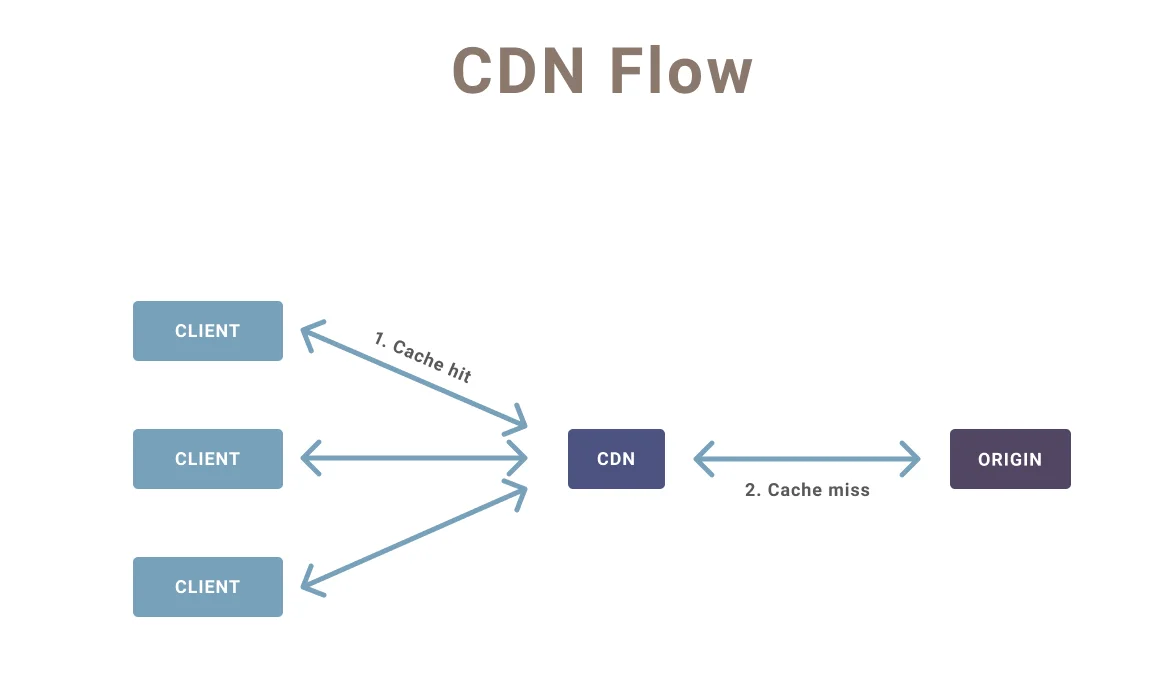
Using a Content Delivery Network (CDN) reduces the number of extra database querie in Elementor by offloading static content to global edge servers. Optimizing asset delivery, including images, CSS, and JavaScript, minimizes database access for frequently requested files. A CDN also reduces latency for users around the world, complementing database optimization efforts. Cleaning up wp_options autoloaded data ensures that the database itself is not overloaded, maximizing the performance benefits of a CDN.
Content Delivery Network Benefits
A CDN serves static content, reducing database load and extra queries in Elementor.
✔ Optimize Asset DeliveryDeliver optimized CSS, JS, and images via CDN to minimize database queries and clean up wp_options autoloaded data.
✔ Reduce LatencyCDNs improve site speed globally by reducing query response times and server load.
8. Lazy Load Content

Lazy loading is an effective way to prevent extra database queries in Elementor by loading content only when it becomes visible. Images, videos, sections, and widgets should be loaded selectively to reduce database calls and enhance site speed. Lazy loading also complements the practice of cleaning up wp_options autoloaded data, ensuring that the database only serves essential queries when needed. This approach improves overall performance metrics and user experience on Elementor sites.
Images & Videos
Lazy loading ensures only visible content triggers database queries, reducing extra database queries in Elementor.
✔ Sections & WidgetsLoad sections selectively to maintain performance and clean up wp_options autoloaded data.
✔ Improve Performance MetricsLazy loading improves page speed, reduces repeated queries, and enhances user experience.
9. Monitor Site Performance
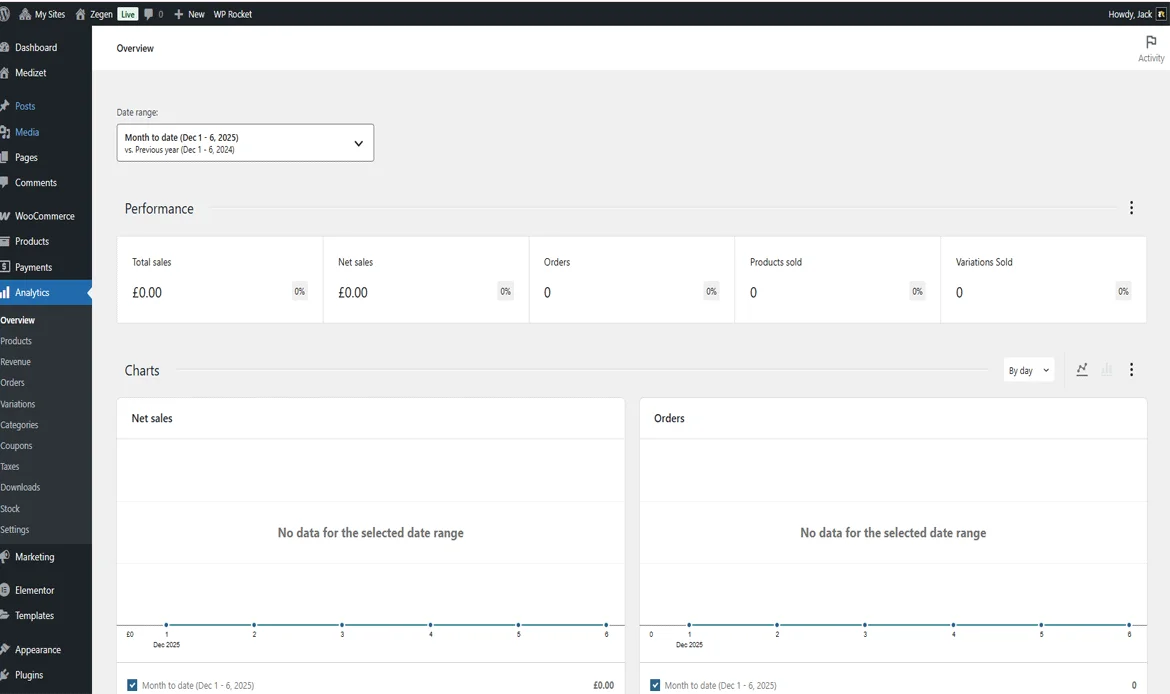
Regularly monitoring your site helps identify and reduce extra database querie in Elementor. Performance plugins like Query Monitor allow you to track slow or repeated queries, while analyzing Elementor logs highlights database-heavy elements. Tracking query execution time ensures that long-running queries are optimized, and keeping wp_options autoloaded data clean ensures the database remains efficient. Continuous monitoring helps maintain fast, reliable Elementor pages and prevents database performance issues from accumulating over time.
Use Performance Plugins
Tools like Query Monitor track extra database querie in Elementor, helping identify and resolve performance bottlenecks.
✔ Track Query Execution TimeMonitoring query execution time helps identify slow queries and reduces unnecessary database load.
✔ Analyze Elementor LogsAnalyzing Elementor logs detects repeated queries and helps maintain a clean and optimized database.
10. Regular Maintenance
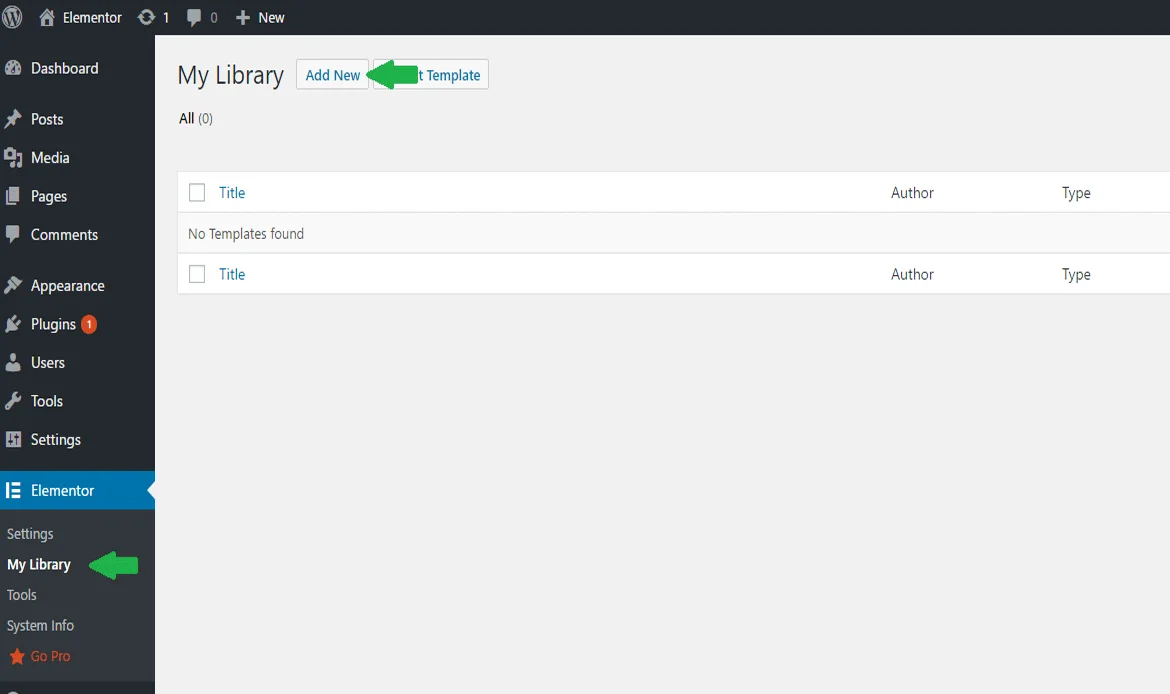
Ongoing maintenance is essential to reduce extra database querie in Elementor and keep the site running efficiently. Scheduling regular database optimizations and cleaning up wp_options autoloaded data prevents unnecessary load. Keeping Elementor and all plugins updated ensures you benefit from the latest performance improvements. Additionally, maintaining a robust backup and restore strategy allows you to safely implement database changes without losing critical data. Consistent maintenance ensures a high-performing Elementor website with minimal database strain.
Database Optimization Schedule
Regularly cleaning up wp_options autoloaded data and optimizing tables prevents extra database querie in Elementor and keeps the site efficient.
✔ Update Elementor & PluginsKeeping Elementor and all plugins updated ensures improved performance and reduced database queries.
✔ Backup & Restore StrategyMaintaining backups before database optimizations ensures safe restoration while implementing strategies to reduce extras database queries in Elementor.
What causes slow Elementor websites?
1. How do I identify extra database queries in Elementor?
Use tools like Query Monitor to find repeated or slow queries that affect Elementor performance.
2. Does cleaning wp_options autoloaded data improve Elementor speed?
Yes, removing unnecessary autoloaded data reduces database load and speeds up Elementor pages.
3. Can plugins affect Elementor database queries?
Yes, some plugins add extra queries. Deactivating or replacing them can improve performance.
4. Is caching enough to reduce extra queries?
Caching helps, but combining it with query optimization and cleaning wp_options autoloaded data provides the best results.
Conclusion
Reducing extra database queries in Elementors is crucial for ensuring fast, responsive, and reliable websites. Implementing best practices like cleaning up wp_options autoloaded data, optimizing database tables, managing plugins efficiently, and enabling caching can dramatically improve Elementor performance.
By following these strategies, you can enhance page load speed, boost SEO performance, and provide your visitors with a seamless user experience. Maintaining a clean and optimized database ensures your Elementor site remains fast, efficient, and ready to handle growth without performance issues.
Boost Your Elementor Site Speed Now!
Optimize your Elementor site effortlessly by reducing extra database queries and cleaning up wp_options autoloaded data. With our theme, enjoy faster page loads, smarter templates, and a seamless browsing experience for every visitor.